Arkana Health SMS Consent and Opt-In Process
Arkana Health sends text messages under three separate programs. Each has its own opt-in, and no program sends a message to anyone who has not opted in to that program. Message frequency varies. Msg & data rates may apply. Reply STOP to opt out, HELP for help.
1. Account verification and appointment reminders (patients)
Patients opt in during account registration in the Arkana Health mobile application. They enter their mobile number and must actively check an unchecked consent box before they can continue:
Consent is recorded at that moment. Messages under this program are one-time passcodes (OTP) for account verification and reminders about appointments the patient has already scheduled.
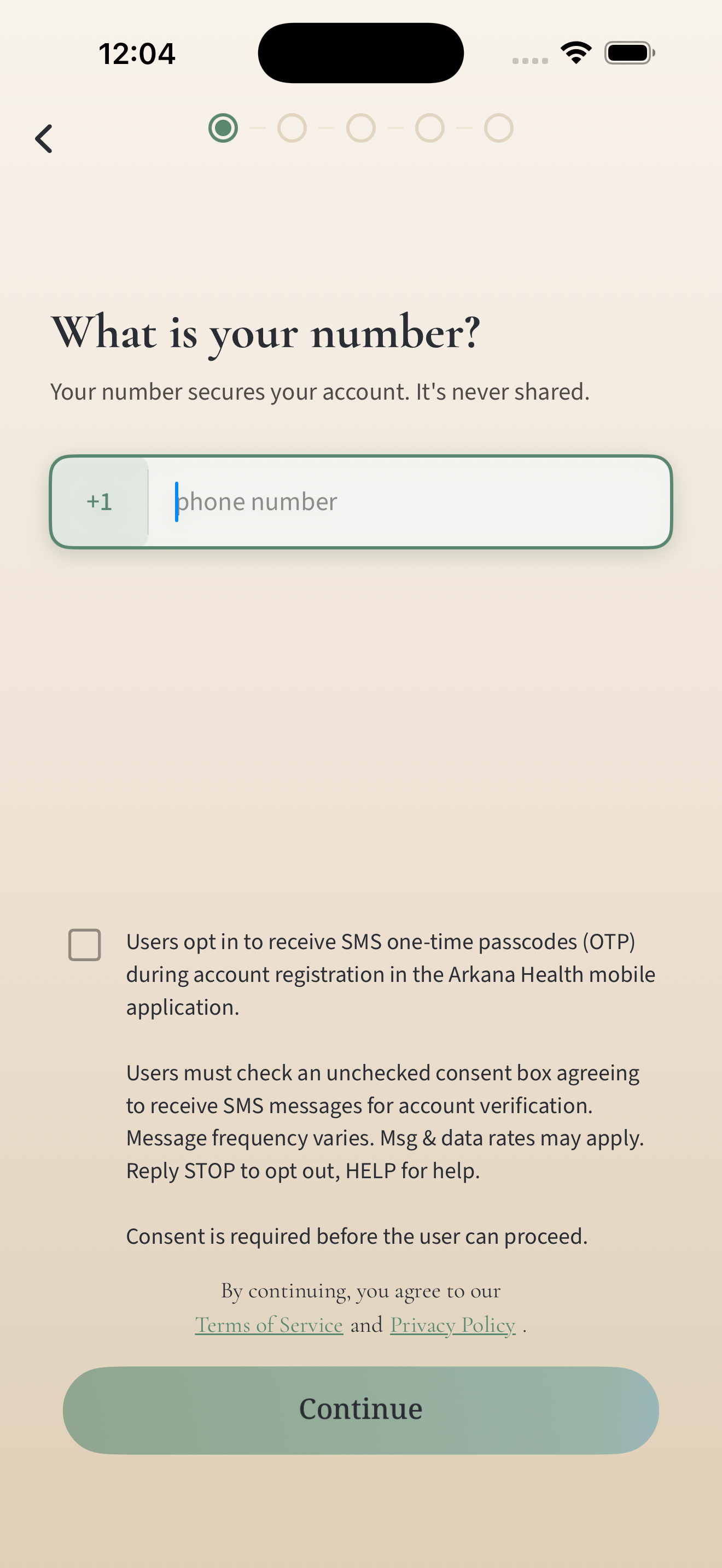
Step 1: Phone verification
This screen shows the SMS consent checkbox presented to users before they can continue account registration. In this example, the consent box is unchecked.
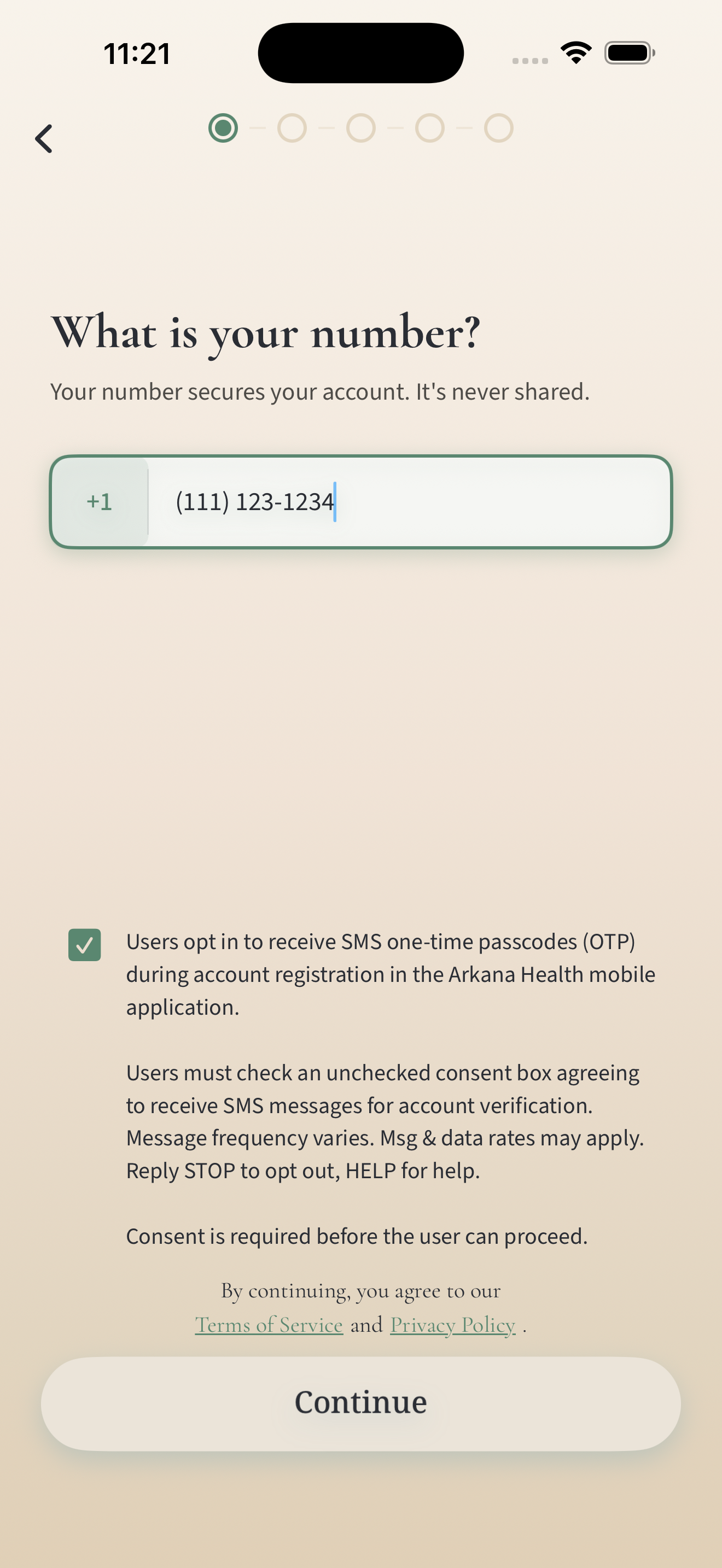
Step 2: Explicit SMS consent
This screen shows the SMS consent checkbox presented to users before they can continue account registration. In this example, the consent box is checked.
2. Scheduling messages from your practitioner (patients)
Arkana Health is a platform used by independent healthcare practitioners to manage their own patients. A practitioner may text a patient on their own roster a link to that practitioner’s booking page — for example, to invite a new patient to book, or to follow up with an existing patient about scheduling. The practitioner initiates every one of these messages. Arkana Health does not send them on its own initiative.
Patients give this consent to their practitioner directly, in person or on intake paperwork, agreeing to the following:
Before any text can be sent, the practitioner must confirm that consent in the Arkana Health portal by checking a required attestation that quotes the language above. Arkana Health stores that confirmation with a timestamp against the patient’s record. A patient with no recorded consent cannot be texted: the platform blocks the message. Practitioners can also withdraw a patient’s consent from the same screen at any time, at the patient’s request.
3. Booking notifications (practitioners)
Independent practitioners who join the platform can receive a text when a patient books an appointment with them. They enter their mobile number during signup on the Arkana Health practitioner portal and must actively check an unchecked consent box before they can continue:
How to stop receiving messages
Reply STOP to any message to unsubscribe from that program. No further messages will be sent to that number. Reply START to resubscribe. Reply HELP for help, or visit arkanahealth.co/support. Patients can also ask their practitioner to withdraw consent on their behalf, and app users can turn off SMS reminders in the Arkana Health app’s notification settings.
Mobile information is never sold, rented, or shared with third parties for their own marketing. See our Terms of Service and Privacy Policy.